
Whats New in SALT (October Release 🍂)
We’ve rolled out an update to SALT that makes the interface clearer, roles easier to manage, and submissions more flexible. Here’s everything you need to know. 👇
👤 Navigation Changes
Here are some new Dashboard features we're excited to introduce in hopes it'll help with your workflow.
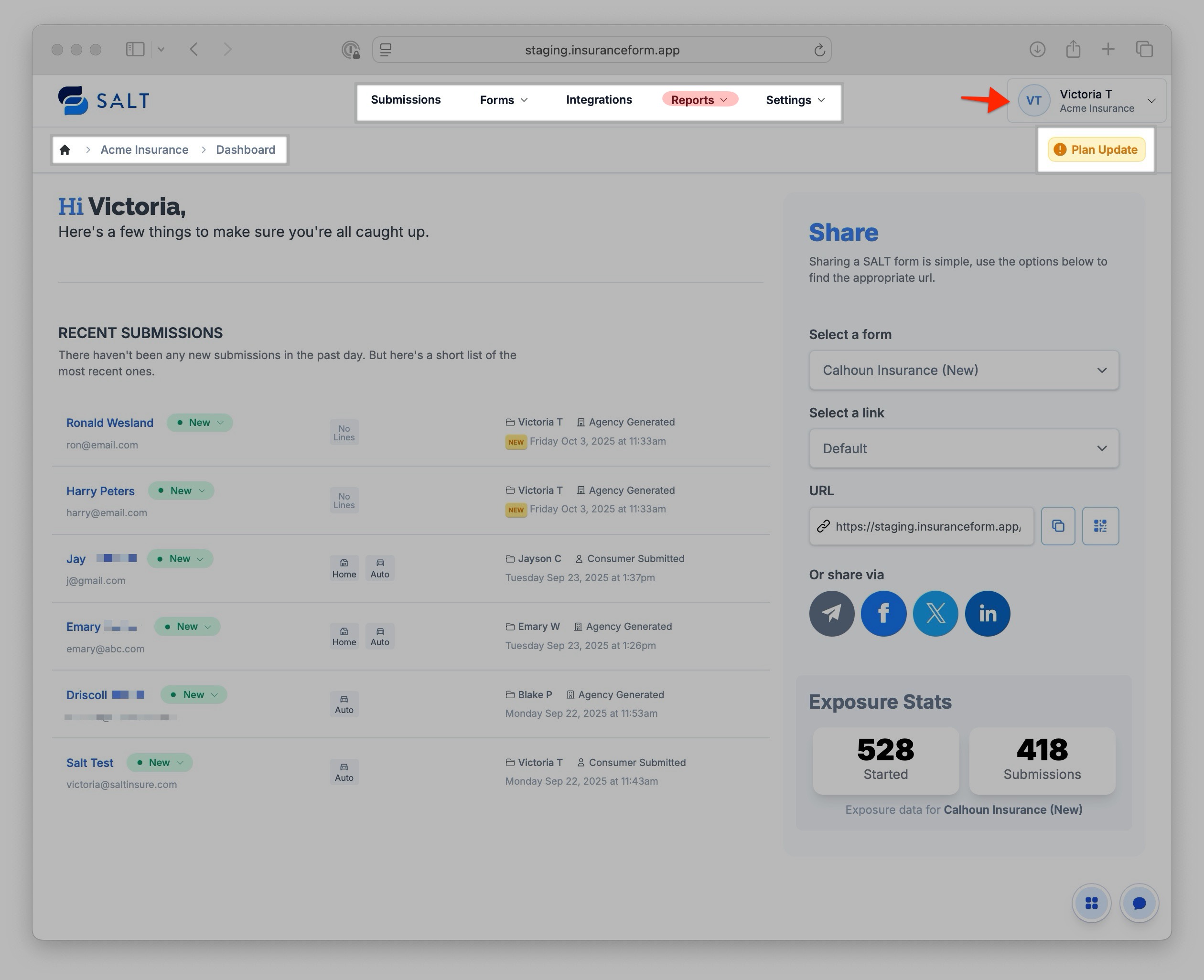
- Top Navigation Menu: Now centered, and Reports is always visible.
- Profile Dropdown: Multi-account subscribers will see Switch Team to toggle between accounts.
- Breadcrumbs (top-left): These are clickable shortcuts that'll bring you to the last section/page you were on for ease of navigation.
- Dashboard Notices: When applicable, notices for updates, billing, or account changes will now be displayed underneath your profile icon. Critical issues will be highlighted in red.
👀 Submission Views
From the Submissions section, you can now save, favorite, and share filtered Views of submissions. This helps you quickly return to “your work” without reapplying filters each time.
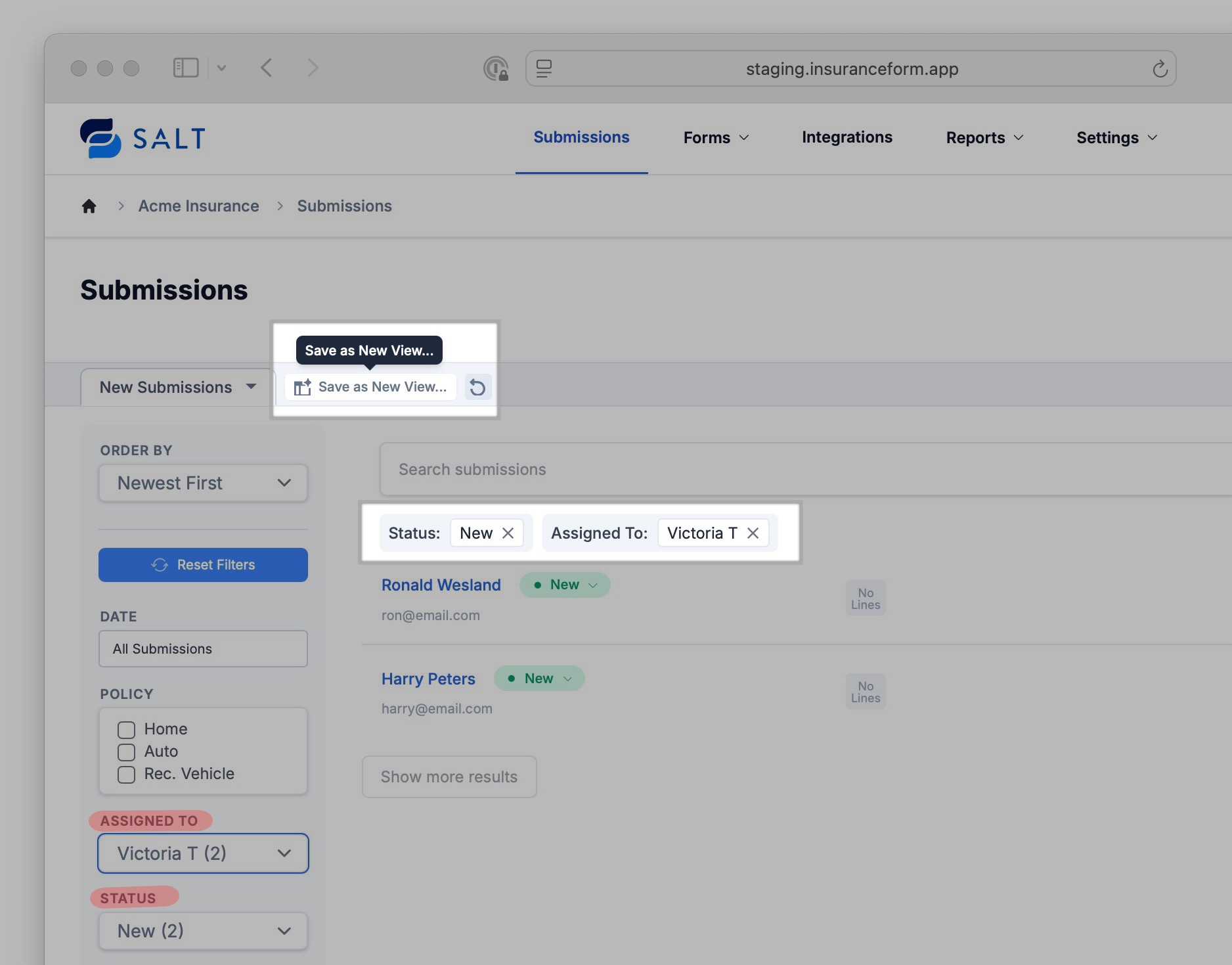
👉 Read the full guide on [Submission Views].
📑 Forms & Live Intake
No major changes, but a couple of small improvements:
- You can now delete steps in templates
- You can delete policies during intake
💳 Billing Section Updates
The Billing section has been redesigned to provide a more comprehensive view of your account and now includes two dedicated tabs: Subscription and Data Enrichment.
- Subscription Tab:
- Upgrade your subscription
- View/manage users
- Monitor submission overages
- Access invoices
- Data Enrichment Tab:
- Activate Data Provider tools (Estated, Fenris, MeasureOne)
- Configure purchasing options for Data Credits
🔄 Relocation of Data Providers
Previously, Data Providers were found in the Integrations section. These tools are now located under the Billing section for easier access and better alignment with account management.
Note: An Admin Role is required to activate Data Providers. Once enabled, a Manager Role can still toggle data enrichment on or off at the form level.
👉 Read more about [Billing Section Changes].
📊 Reports Menu
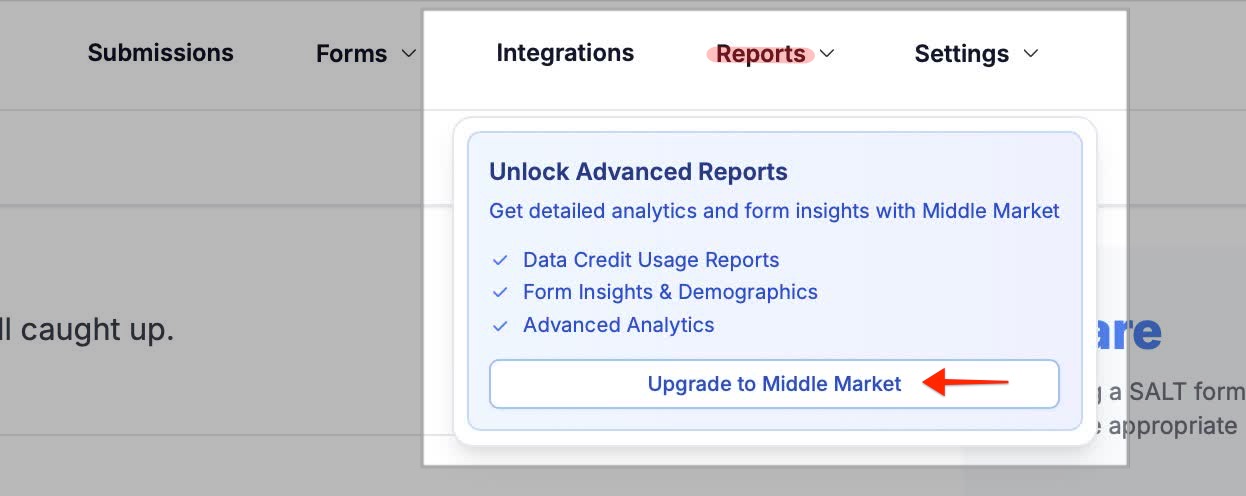
Reports is now always visible in the top navigation menu. Plans without Reports will see an Upgrade prompt.
The layout of Reports now has a sidebar + date picker, increasing ease of navigation.
⚙️ Settings Changes
The Settings section has been consolidated and reconfigured for ease of navigation. To locate each of the settings below, navigate to: Settings >
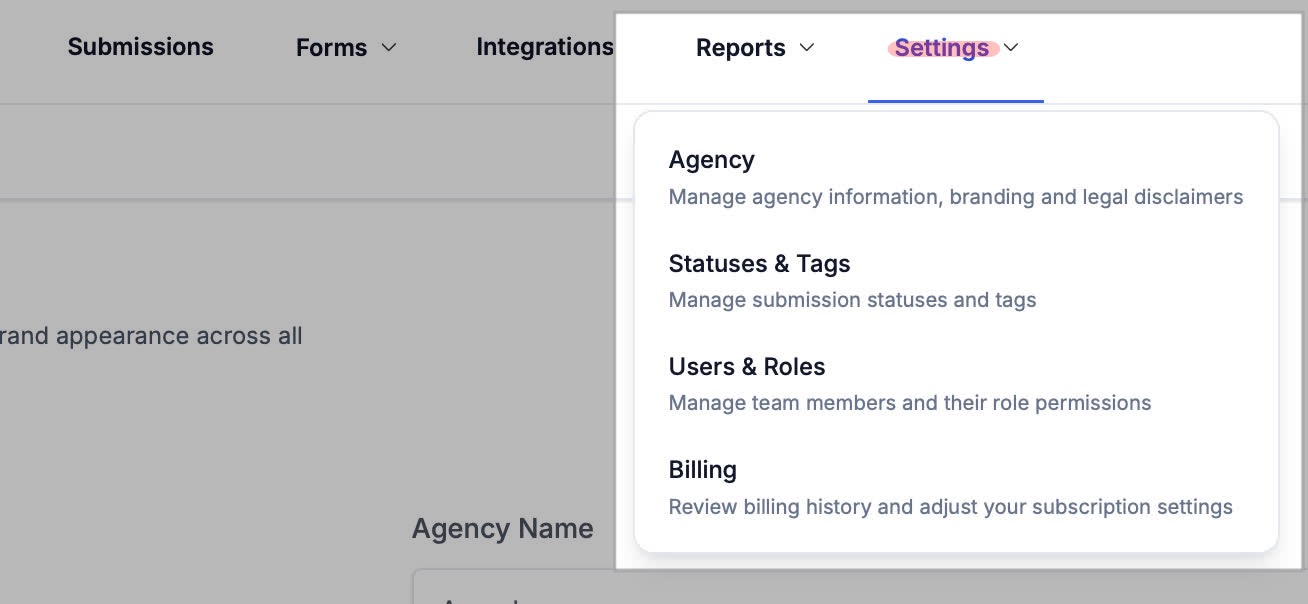
> Agency
- Agency Owner transfer feature is now available.
- Branding and Legal configurations have moved here.
> Statuses & Tags
These options have now been consolidated into a single section. Navigate here to:
- add or reorder Submission Statuses
- archive/unarchive statuses
- add or configure tags
> Users & Roles
This section houses all SALT Team Members and Role configurations. Navigate here to:
- add/remove team-members
- edit info for a team member
manage permission templates (Roles) for your team
> Billing
The Billing section has been redesigned for a more comprehensive view, and now includes 2 tabs separating Subscription details, and Data Enrichment settings. Navigate here to:
- upgrade your subscription
- view/manage users, submission overages, and invoices
- activate Data Provider tools
- configure purchasing options for Data Credits
👥 User Roles & Hierarchy
Permissions are now organized into Roles with a clear hierarchy. This makes account management safer and more consistent.
- Admin: Full access, including Billing
- Manager: Broad access, excluding Billing
- User: Limited day-to-day access
*Custom roles are Available on Propel+ and Middle Market.
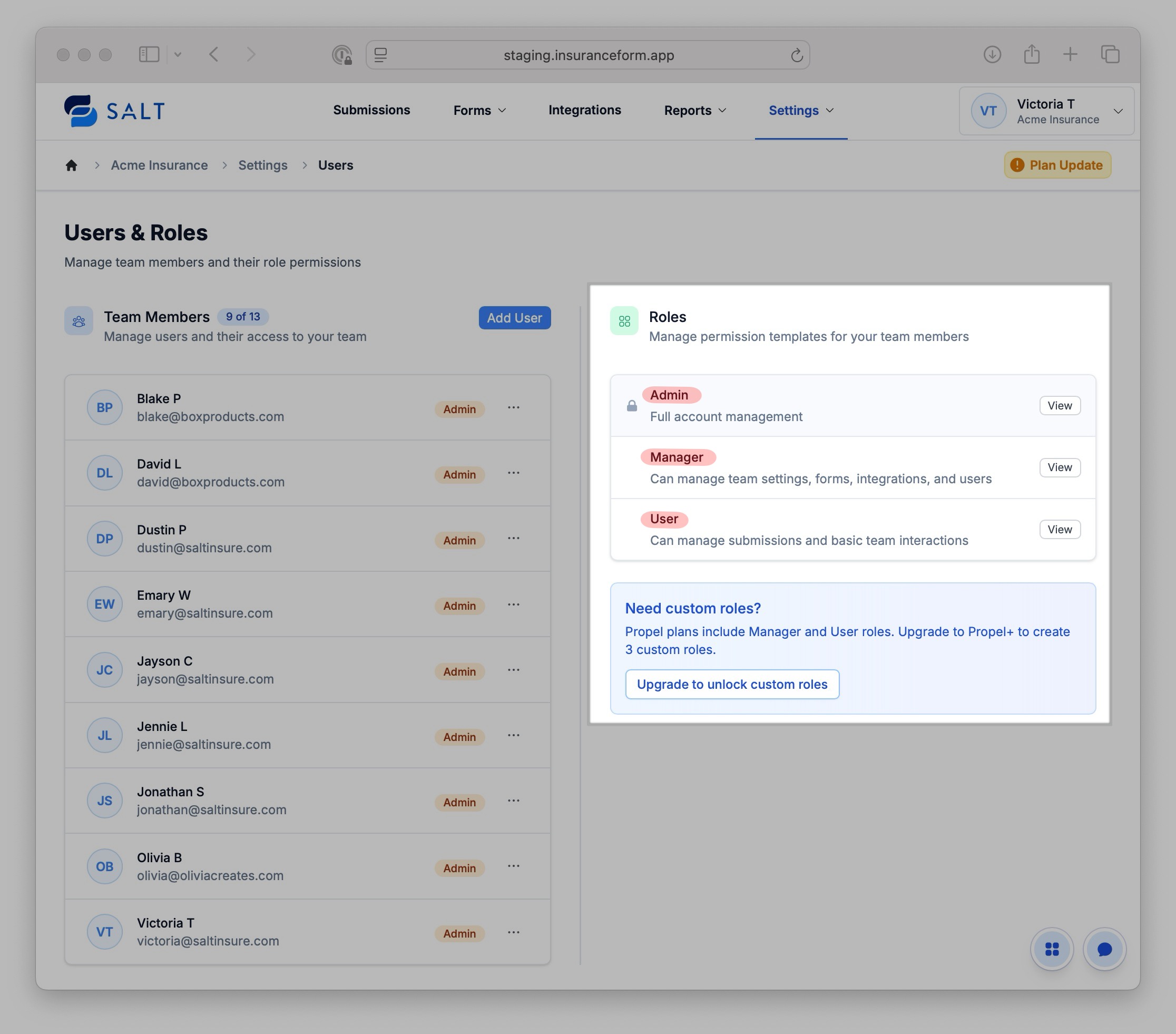
👉 Read more [About Roles & Hierarchy].
This release makes SALT easier to navigate, manage, and tailor to your workflow. Please reference the key dates below to take notice of when these changes will go into effect.
📅 Key Dates:
Downtime — Friday, October 10 (during rollout)
Changes Effective — Saturday, October 11
⚠️ Action Needed: If a user previously had custom permissions (such as the ability to Edit/Manage Forms) but was not an Admin, they will lose that access. An Admin will need to update their Role in order to restore the appropriate access.