
Managing Billing, Data Credits, & Submission Usage
Overview
The Billing section has been redesigned to give you a clearer, more organized view of your account. Along with subscription details, the Billing section is now home to your Data Enrichment settings (formerly found under Integrations).
This change makes it easier to manage everything related to billing, credits, and data providers in one central place.
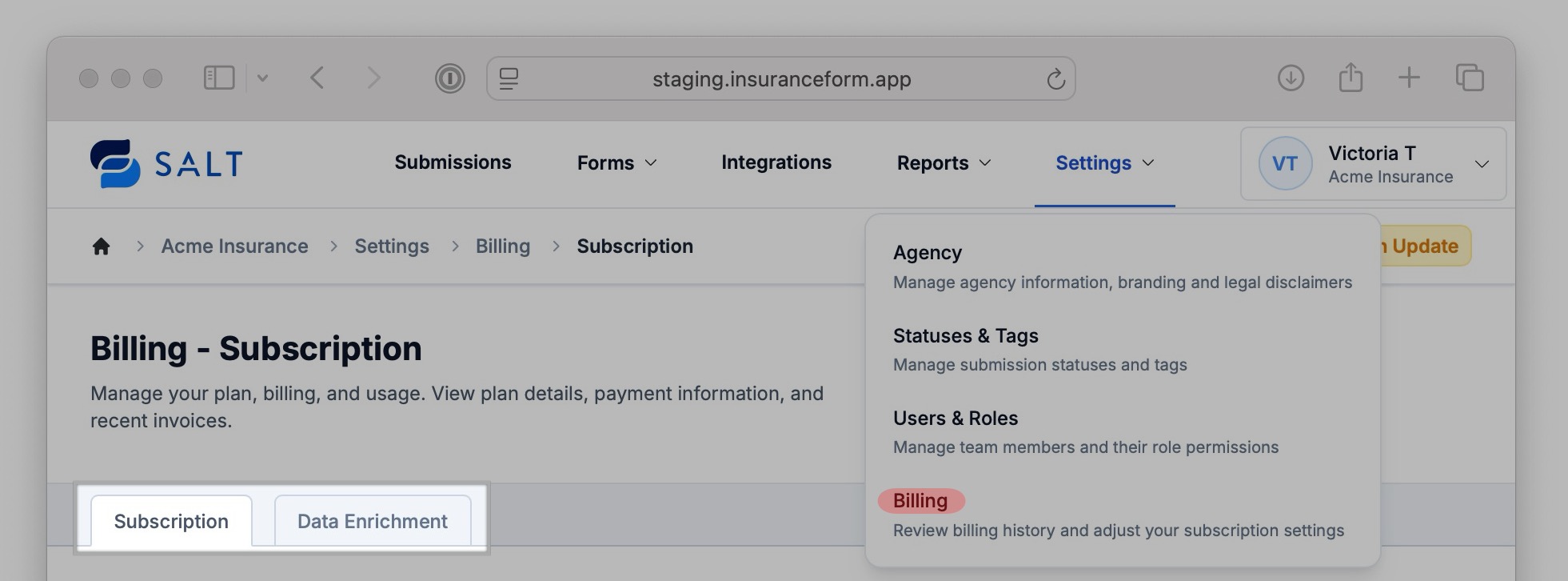
Admins/Owners can access their billing section by navigating to Settings > Billing.
What’s New
The Billing section now has two tabs: Subscription & Data Enrichment.
-
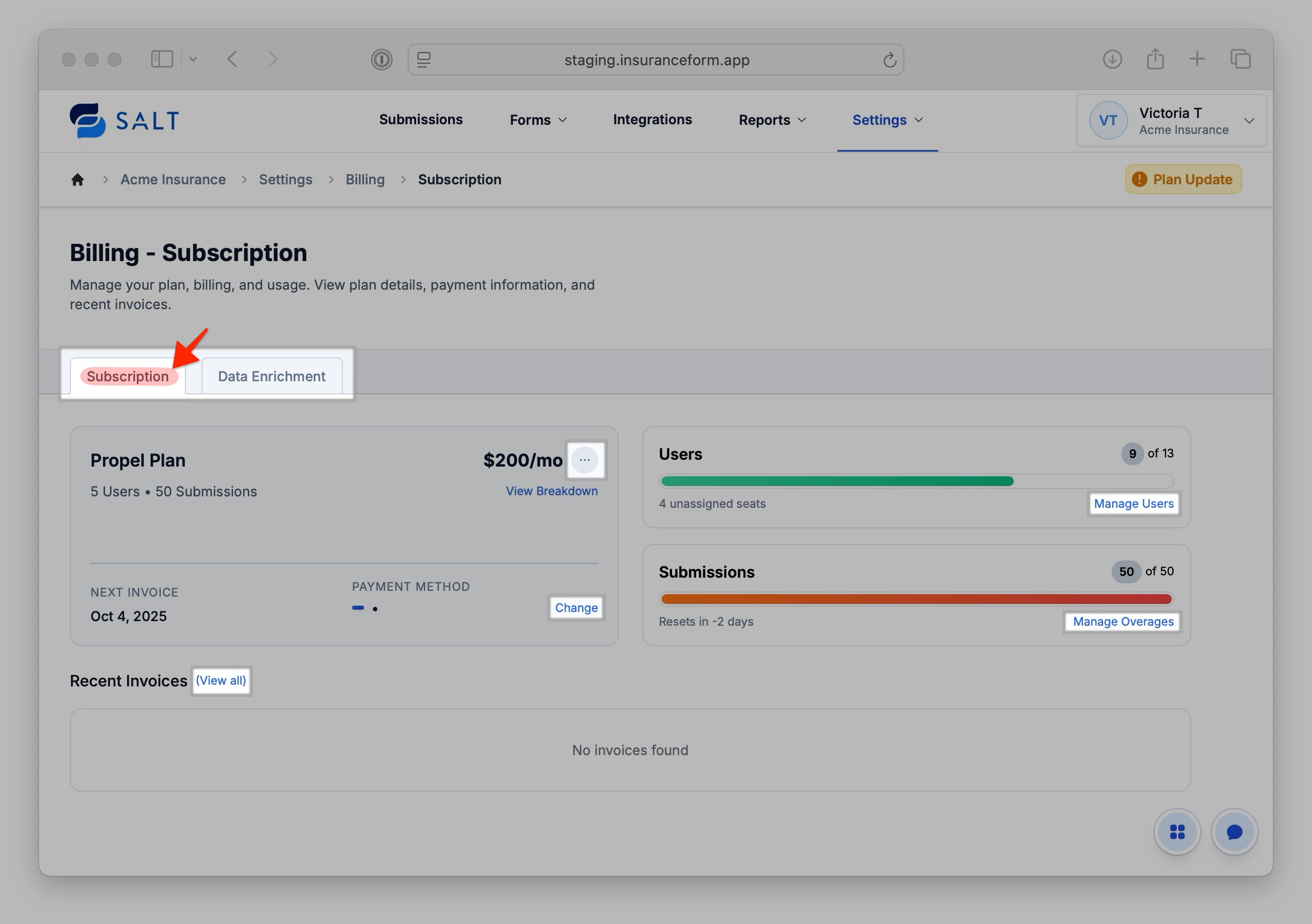
Subscription Overview:
- View/update subscription details
- Change/update your payment method
- Manage users
- Track Submission overages
-
Access invoices
-
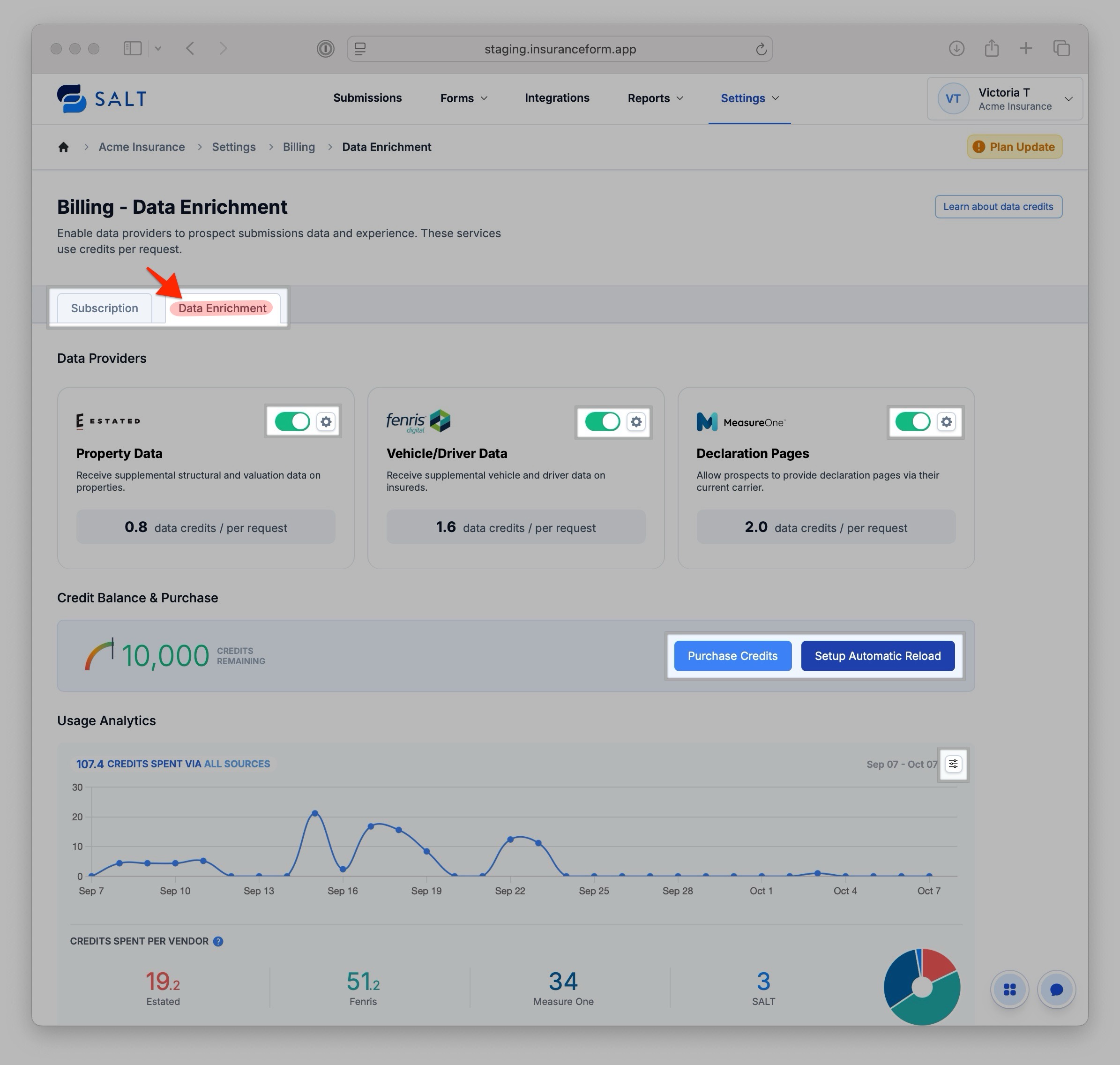
Data Enrichment Overview:
- Enable or disable Data Provider integrations (Estated, Fenris, MeasureOne)
- Configure purchasing options for Data Credits
-
View data credit usage
Access & Permissions
Data Provider Integrations
Only Admins can activate or disable Data Providers from the Billing section, since Billing access is reserved for Admin-level users only.
Note: Previously, users could be granted permission to manage Data Providers under the Integrations section, but those settings have now been centralized within Billing for improved security and account management.

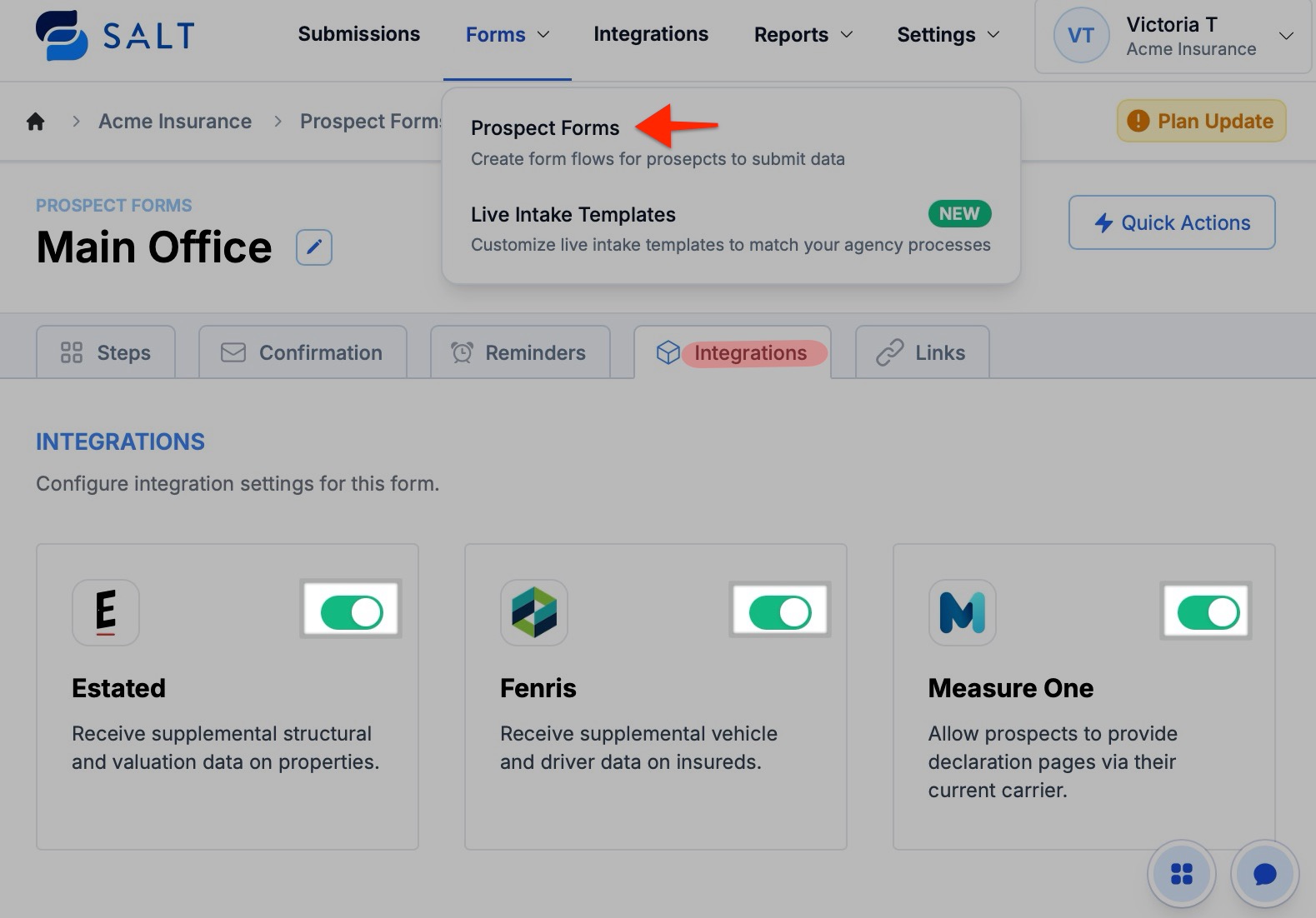
Once enabled, Managers with form-editing permission enabled can toggle these data integrations on/off at the form level.
For more info on managing permission levels, see our article on [Managing Users & Roles].
🆘 If, for any reason, you're unable to manage your billing from this section, please reach out to the SALT support team. We'll be happy to assist however we can.