
Custom Questions: Input Types
Overview
Custom questions support seven different input types, each designed for specific types of data collection. This article provides an overview of each input type to help you choose the right one when building your custom questions.
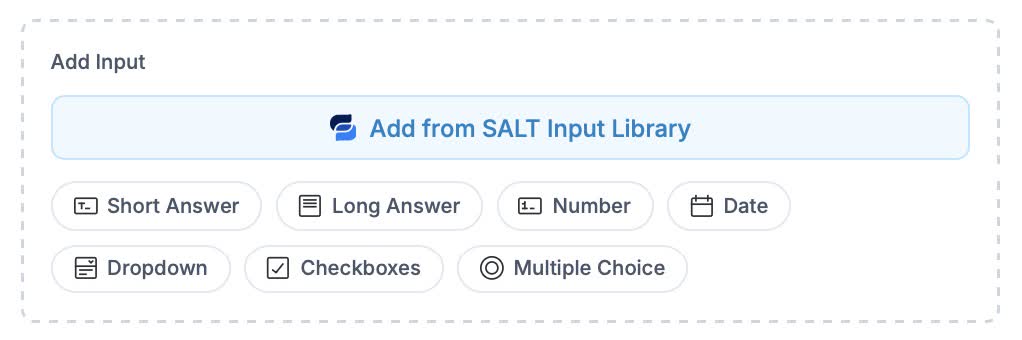
-
Short Answer (Text)
Single-line text field for brief responses
Best for:
- Names and titles
- Short descriptions
- Reference numbers
- Simple text responses
Configuration:
- Label (required)
- Required toggle
Example uses:
- "Preferred name"
- "Referral code"
- "Company name"
-
Long Answer (Text area)
Multi-line text area for longer responses
Best for:
- Detailed explanations
- Special instructions
- Notes and comments
- Descriptions
Configuration:
- Label (required)
- Required toggle
Example uses:
- "Please describe any special circumstances"
- "Additional notes for your agent"
- "Coverage preferences"
-
Number
Numeric input that only accepts numbers
Best for:
- Counts and quantities
- Years and ages
- Numeric values
- Measurements
Configuration:
- Label (required)
- Required toggle
Example uses:
- "Number of employees"
- "Square footage"
- "Years in business"
-
Date
Date picker for selecting dates
Best for:
- Event dates
- Start/end dates
- Deadlines
- Anniversaries
Configuration:
- Label (required)
- Required toggle
Example uses:
- "When do you need coverage to start?"
- "Date of purchase"
- "Move-in date"
-
Dropdown (Select)
Dropdown menu for selecting one option from a list.
Best for:
- Predefined choices
- Categories or types
- When you have 4+ options
- When order matters
Configuration:
- Label (required)
- Required toggle
- Options list (add/remove/reorder)
Example uses:
- "How did you hear about us?" (Referral, Online Search, Social Media, Other)
- "Preferred contact method" (Email, Phone, Text)
- "Business type" (LLC, Corporation, Sole Proprietor)
-
Checkboxes
Multiple selection checkboxes for choosing several options
Best for:
- "Select all that apply" scenarios
- Multiple choices
- Feature or service selection
- Opt-in preferences
Configuration:
- Label (required)
- Required toggle (at least one must be selected if required)
- Options list (add/remove/reorder)
Example uses:
- "Which coverages interest you?" (Auto, Home, Life, Business)
- "Which days work for a call?" (Monday, Tuesday, Wednesday...)
- "What safety features does this vehicle have?"
-
Multiple Choice (Radio)
Radio buttons for selecting exactly one option
Best for:
- Yes/No questions
- Either/or choices
- When only one answer is valid
- Small option sets (2-5 options)
Configuration:
- Label (required)
- Required toggle
- Options list (add/remove/reorder)
Example uses:
- "Is this your primary vehicle?" (Yes, No)
- "Usage type" (Personal, Business, Both)
- "Do you own or rent?" (Own, Rent)